Homepage

Be Aware Of phishing attempts

Traveling with DUO

Where can I search for FAQs?

WELCOME FACULTY!

Student Laptop Requirement

Are you a student? Get started here.

FREE Software with valid NinerNET credentials

IT Questions? We have answers.
> Contact the OneIT Service Desk at 704-687-5500 or help.charlotte.edu

Need Campus WIFI?

Need to reset your NinerNet password?




Latest News

Best Buy now has a catalog that can be used to procure various electronics and tech equipment not already covered by another…
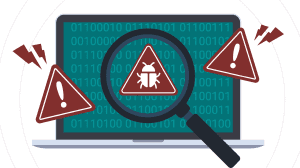
During this time of year we have noticed dramatic increases in the amount of phishing attempts.

Important Update: Canvas Email Addresses Changing to @charlotte.edu Starting at 6:00 a.m. on Thursday, May 16, all Canvas email addresses…

On May 15 starting at 5 p.m., OneIT will automatically change default addresses. Why? This change is part of the…

Beginning Monday, 5/13/24 at 5:00 p.m. through Friday, 5/17/24 5:00 p.m. Windows 11 computer labs will undergo an upgrade to…


SIGUCCS recently awarded Beth Rugg, Assistant Vice Chancellor for Client Engagement, the 2023 Penny Crane Award.

On April 15, 2024 Zoom released version 6.0.0. Learn about some exciting new updates.
IT Training Events
